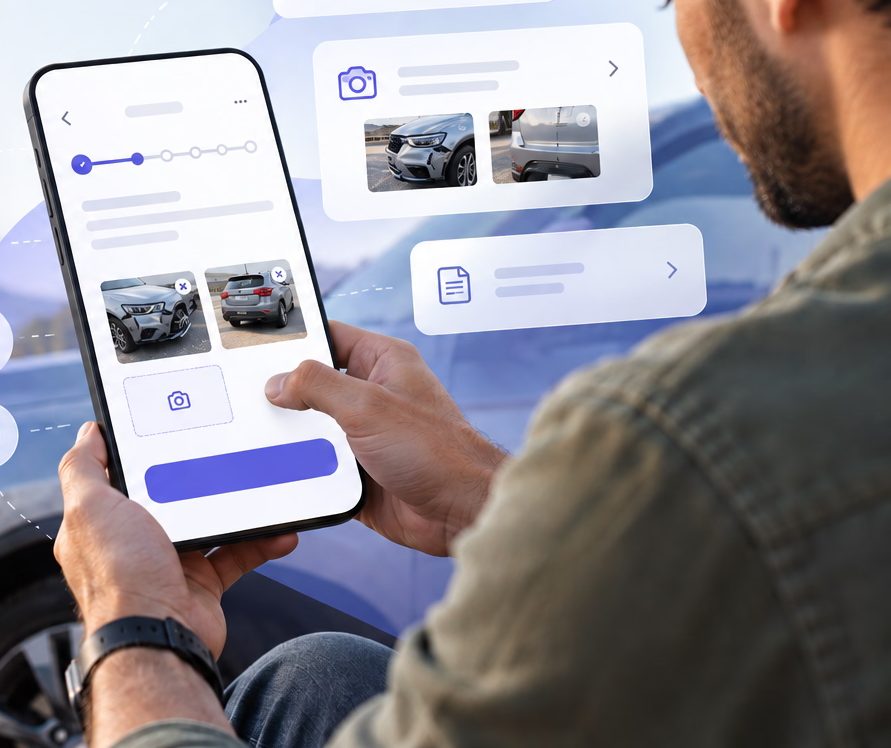
No digital way to report a claim.
First Notice of Loss is the moment a customer tells the insurer something went wrong. For this provider it happened entirely through call centres, emails and branch visits.
Customers called right after an accident, stressed and unsure what was needed. Documents arrived later by email, data ended up split between the CMS and inboxes, and employees handled hundreds of thousands of claims of very different complexity by hand.
- 01Long waits and high staffing costs in the call centre
- 02Incomplete, inconsistent data spread across CMS and email
- 03A poor experience at a high-stress moment
- 04A daunting workload for the claims team
From a phone call to a guided flow in your pocket.
Five decisions that shaped it.
Screens shown differ slightly from the final product because of copyright and NDA.
The call was the problem, not the channel.
Claims teams needed structured, complete data. Call-centre insights showed customers didn’t know what information was needed, which led to constant back-and-forth, and documents being sent during or after the call.
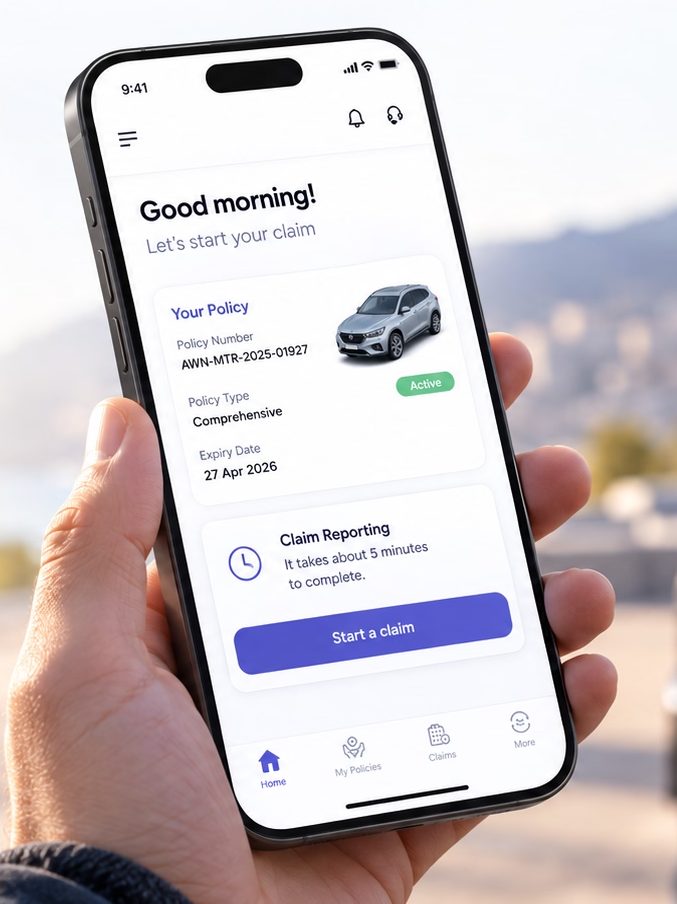
Under stress, people lose the capacity for complex tasks. So the journey starts before the first question: the home screen shows the policy, confirms it is active, and says how long the claim will take.
Decision: a guided, low-effort experience instead of a form, using AI for document analysis and data extraction so people type as little as possible.
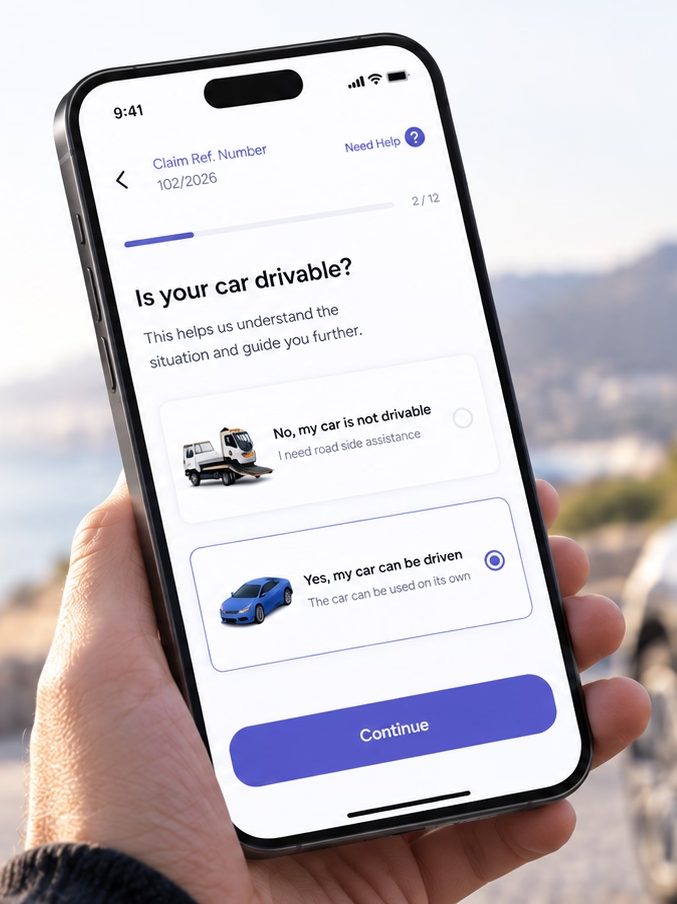
From forms to decisions.
The flow is a sequence of single questions across 12 short steps, with a claim reference number from the start. Each answer has a clear consequence: a car that can’t be driven routes the person to roadside assistance.
Help is one tap away on every screen.
Principle: binary decisions keep cognitive load low when people are under stress.
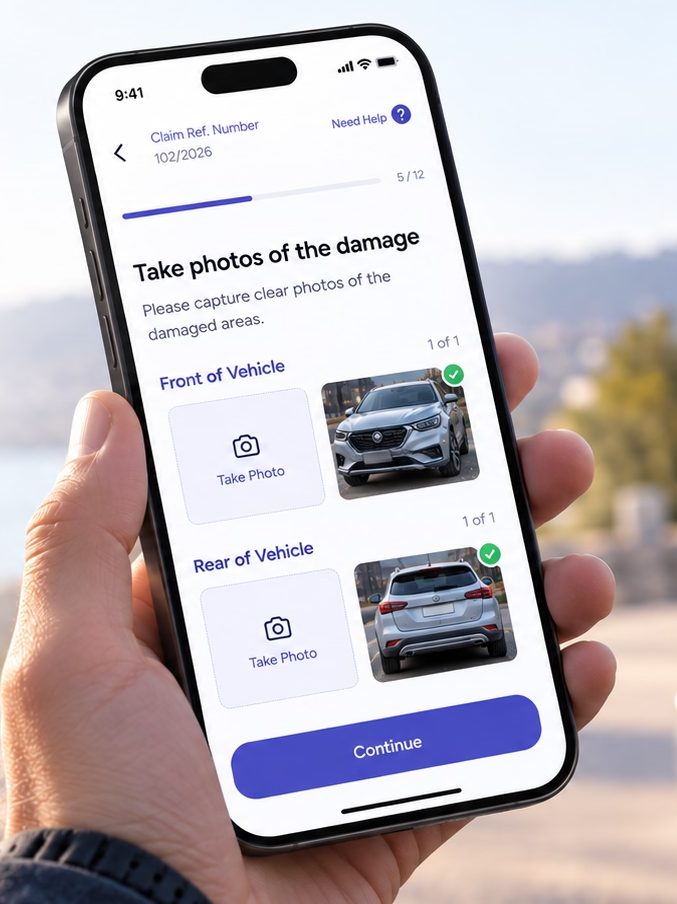
The camera replaces the keyboard.
Photos are requested by vehicle area, front and rear, instead of a generic upload. AI analyses them in the background and drafts a damage statement for the claim. Progress and validation stop incomplete submissions.
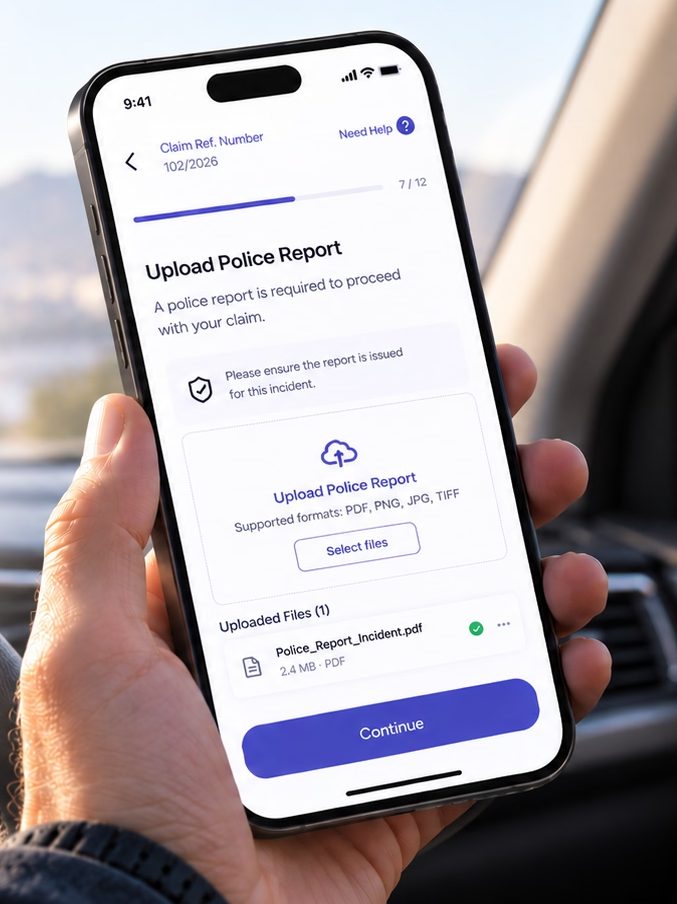
Required documents such as the police report list their supported formats and show what was uploaded, with a short note that reassures people they are sending the right thing.
Effect: the claims team gets what it needs the first time, without chasing customers by email.
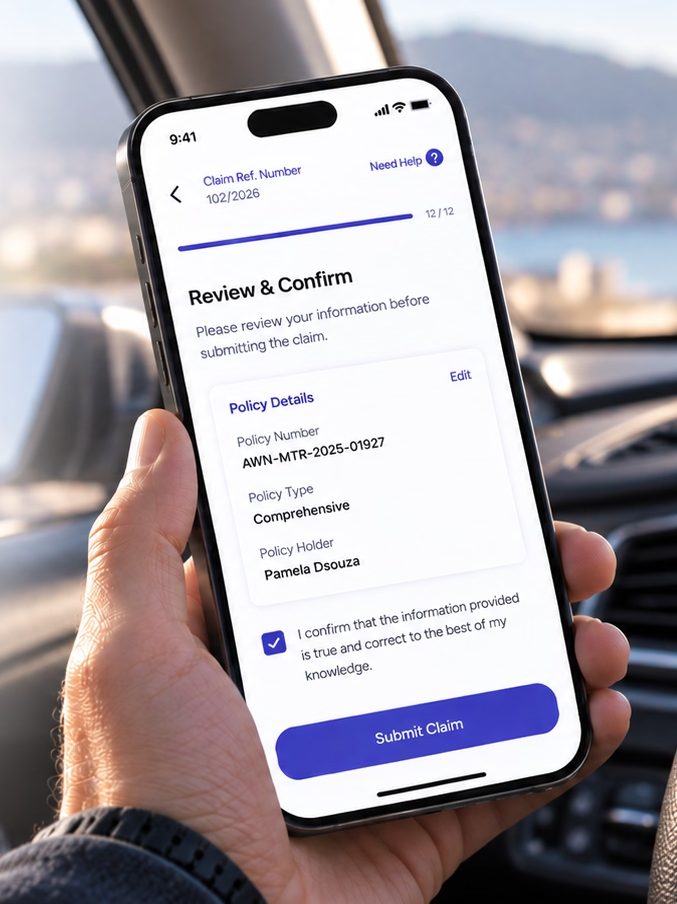
Automation does the typing. People confirm.
Policy details are pre-filled with OCR and AI, so the person only reviews them. Any field can still be edited.
A final declaration that the information is true and correct makes the submission legally valid without adding effort to the rest of the flow.
Balance: less effort for the customer, verified data for the insurer.
Designing for the path people actually take.
Real claims rarely follow the ideal flow. People report hours or days later, often with incomplete information.
Claims can be saved partially and resumed. Late submissions are flagged without being blocked. Past a set period, the policy legally requires a justification, so the flow asks for it with contextual prompts on what else is needed.
Result: flexibility for the customer, and compliance with policy rules for the insurer.
A digital-first claims journey, end to end.
Guided, camera-first claim reporting with pause and resume, AI damage statements, OCR pre-fill and late-claim handling.
Reflects statuses and responses from the app alongside the legacy email system and manual registration, so customers who resist going fully digital still have a channel.
Learnings & next steps
Under stress, clarity beats flexibility.
People in a crisis do better with guided decisions than with open-ended inputs. And structuring data at the point of entry improved both sides at once: an easier experience for the customer, and cleaner cases for the claims team.
Exploring a similar idea in your service or organisation?
Whether it’s a claims journey, a process people dread, or a product that needs to work under pressure, we can start with a conversation.
Nuno Flórido is a UX/UI Designer and Design Team Lead at S4 Digital, based in Setúbal, with experience in digital transformation projects across the public and private sectors internationally. He works with AI and user experience methods from discovery onwards: defining the problem to solve and closing one solution at a time.